

You do not need a huge backlink export to begin finding potential publishers. A search engine, a clear resource and a disciplined way to record results can give you a useful first prospect list.
The difficult part is deciding what to search for. Typing your product category followed by “backlinks” tends to reveal people selling links or explaining SEO. It rarely reveals the editors your audience already trusts.
Link prospecting search operators help narrow the search to useful page types. They are instructions added to a query, such as limiting results to one website or looking for a phrase in a page title.
Use them to discover candidates. They cannot tell you whether a publisher will accept your suggestion, whether a link is appropriate or how much traffic a placement might generate.
Define the resource before writing queries
Start with the page you want other websites to recommend. Write down its audience, practical use and format.
Suppose a hypothetical bookkeeping business has created a cash-flow forecasting worksheet for independent café owners. The resource includes a spreadsheet, instructions and a worked example showing how seasonal sales affect cash needs.
Its audience is more specific than “small businesses.” Potential recommenders might include hospitality advisers, local enterprise centers, food-business educators and associations supporting independent retailers.
That description creates useful search vocabulary: café startup, hospitality finance, business planning, restaurant management and seasonal cash flow.
It also sets boundaries. A general directory accepting every business is less interesting than a training organization maintaining resources for new food businesses. Your queries should reflect the difference.
Before searching, confirm that the worksheet is publicly accessible, works properly and explains its limitations. Discovering suitable publishers will not help if the asset is difficult to use.
Understand the operators you are using
A few basic query patterns are enough for a first campaign. Start with short combinations and inspect the results before adding more restrictions.
Quotation marks: Practical use: Request a particular phrase; Example: "café business planning"
site:: Practical use: Search within a website or domain ending; Example: site:example.org café resources
Minus sign: Practical use: Exclude a term or your own domain; Example: cash flow resources -site:yourdomain.com
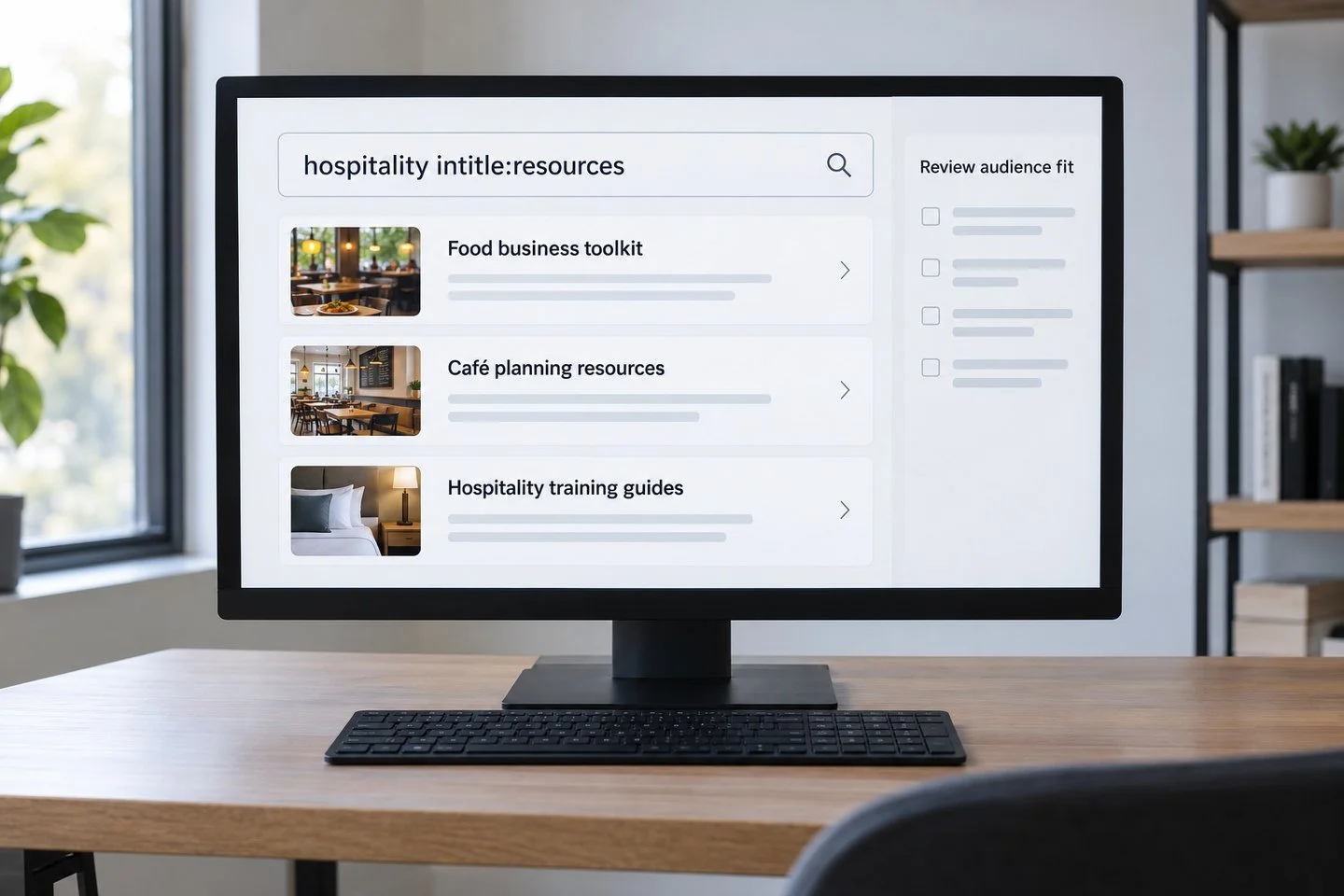
intitle:: Practical use: Look for a word in the page title; Example: hospitality intitle:resources
inurl:: Practical use: Look for a word in the page address; Example: restaurant inurl:resources
Search behavior varies, and some operators may be interpreted loosely. Results also change over time and by location. A strict-looking query is not proof of a complete or exact dataset.
The example.org domain above is illustrative. Replace it with a website you have actually identified; do not treat example domains as prospects.
Avoid building an elaborate query that returns nothing and assuming no opportunities exist. Remove one restriction, use a simpler phrase and look again.
Combine an audience term with a page purpose
A productive query usually connects two ideas: who the page serves and why the page exists.
For the café worksheet, try:
hospitality intitle:resources cash flow
"starting a café" "useful links"
"food business" "planning resources"
"restaurant management" inurl:resources
"independent retailers" "cash flow"
These queries are deliberately different. One searches a subject, another searches a business stage, and another explores a broader audience with a similar financial problem.
Open promising results and look at the vocabulary the publisher uses. A business support center might call its resource collection a “toolkit,” while a college calls it “course materials.” Those terms can lead to a second round of searches.
Do not assume a page welcomes submissions because it contains links. Its purpose may be to support enrolled students, association members or a specific local community. Read the eligibility rules before recording it as an outreach candidate.
Search adjacent subjects without losing the audience
Repeating the same query with minor spelling changes can produce diminishing returns. Change the problem or setting instead.
The café owner may also search for help with working capital, supplier payments, food-business startup costs or slow-season planning. A worksheet about cash flow could fit some of those contexts.
Create three small vocabulary lists:
Audience: café owners, independent hospitality businesses, food entrepreneurs.
Problem: seasonal revenue, supplier payments, cash planning.
Page purpose: toolkit, recommended reading, startup guide, member resources.
Combine one item from each list. Read the results before deciding whether the combination is useful. You are looking for a defensible reader connection, not the largest number of returned pages.
Expand carefully. A national restaurant safety guide probably does not need a finance worksheet in a section about refrigeration temperatures. Sharing an industry label is insufficient when the immediate reader task differs.
Use a promising website as a starting point
Once you find a relevant organization, explore its website more closely. A search restricted to that domain can reveal a better page than the one that first appeared.
For example, search site:publisher-domain.org "business planning" using the actual publisher's domain. You may find an updated toolkit, an adviser profile or a resource submission policy.
Check the site's navigation as well. Search engines may surface old pages that have been replaced. A current section linked from the main navigation can be a better outreach destination.
Record the page that would logically contain your resource, rather than saving only the organization's homepage. Your eventual pitch should refer to a specific editorial setting.
The distinction matters when several departments manage the same domain. A library, economic development team and events office may have separate responsibilities. Identifying the relevant section helps you find the person who can make a decision.
Keep discovery separate from qualification
A search result is a lead for investigation. Move it through a review stage before adding it to an outreach list.
First, confirm the page exists and is accessible. Then read enough to establish audience fit, whether external resources appear, and whether the resource collection seems maintained.
Look for explicit restrictions. Some lists include only government resources, nonprofit services or free tools. A business-owned worksheet may be useful yet still fail the policy.
Check whether your proposed destination adds something missing. If the page already includes a strong cash-flow worksheet for the same audience, explain what yours contributes or leave it alone.
Finally, identify an appropriate contact route. A named page owner or published submissions address is more useful than an unrelated employee's contact details.
Do not skip these checks because a domain ends in .edu or .org. A domain ending tells you little about the suitability of the particular page.
Build a prospect log you can actually use
Capture the query alongside each candidate. It helps you understand which searches produce useful pages and which consume time.
A practical log includes:
Discovery query: The exact search used
Source page: Specific candidate URL
Audience: Who the page serves
Fit note: Why your resource belongs
Eligibility: Any stated restrictions
Contact route: Public editorial or submissions channel
Review result: Qualified, needs review or excluded
Exclusion reason: For example, members-only resources
Deduplicate by page URL and publisher. One organization may have several relevant pages, but it usually should not receive simultaneous messages from different people on your team.
Keep discovery and contact dates separate. A page found last month may need another check before outreach, especially if the organization recently reorganized its website.
Measure query usefulness with a small sample
Run a limited first pass rather than spending a week collecting URLs. Review, for example, ten candidate pages from each of three query families. This is a planning exercise, not an industry benchmark.
Imagine the hospitality-resource searches produce six qualified pages from ten reviewed. The broader business-link searches produce two, and the café-startup searches produce four.
Those hypothetical results suggest spending more time on the first and third families. They do not predict response rates or links earned.
Record why pages fail. If most exclusions involve geographic eligibility, modify the audience term or focus on your actual service region. If most lists accept only free tools, make the free version of your worksheet clear and accessible.
The aim is to learn which discovery paths produce plausible editorial conversations. Counting raw URLs rewards the wrong behavior.
Avoid common operator mistakes
Do not use a search engine's displayed result count as an estimate of available link opportunities. It is not a verified prospect total.
Do not rely on an exclusion to remove every unsuitable result. Read the page. A query can still surface irrelevant content or pages that mention an excluded term indirectly.
Avoid treating “write for us” pages as the default route for every campaign. A resource recommendation, expert contribution and sponsored article are different editorial arrangements.
Do not assume you must automate the whole search. A focused manual review can reveal unfamiliar terminology, eligibility conditions and active organizations that a large scrape would obscure.
For more detail on operator-led discovery, see this practitioner lesson on search operators. Treat any examples as starting points and verify behavior in your own searches.
Turn a qualified page into a specific next action
A usable prospect has more than a URL. It has a reason for inclusion, an appropriate destination and a clear contact route.
For the café worksheet, the next action might be: “Ask the enterprise adviser whether the free forecasting worksheet fits the financial-planning section of the food-business toolkit.”
That is far stronger than “email this high-authority domain.” It gives the outreach writer enough context to make a concise, accurate suggestion.
Begin with one resource, three audience-led query families and a short review log. Expand the searches that produce suitable pages, then stop collecting once you have more qualified prospects than you can thoughtfully contact.
Leo Corado's link-building approach centers the broader service conversation. To discuss a particular resource and audience, contact Leo Corado, or review the link-building services before sharing your campaign brief.