
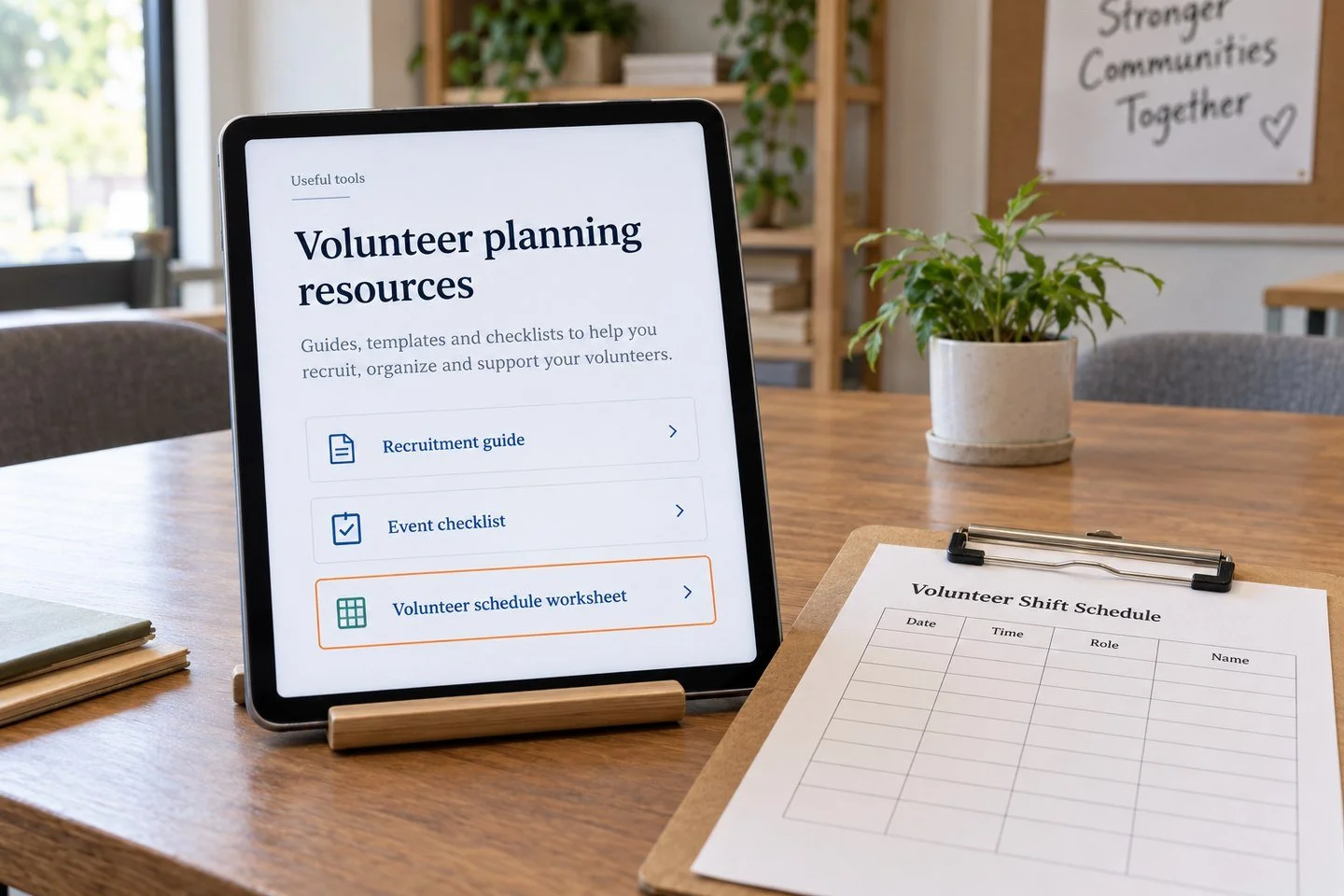
A nonprofit maintains a list of practical resources for volunteer coordinators. Your business publishes a free schedule template that solves a scheduling problem for those same coordinators. There may be a sensible reason for the nonprofit to recommend it.
That is the starting point for resource page link building. Find a page that curates useful material, understand its selection criteria and suggest something that improves the collection.
The process sounds simple because the final request is small. The work happens before the email: checking eligibility, identifying a real gap and making sure your resource deserves attention.
This guide focuses on functioning resource lists. Replacing a dead third-party page is a separate campaign type with different content requirements. Here, the publisher already has a working collection, and your job is to show where an additional resource helps.
Understand what the page is trying to do
A resource page organizes links around an audience or task. It might be a trade association's member toolkit, a library's subject guide or a nonprofit's practical support directory.
Not every page containing several links is a resource page. A product comparison, personal reading list and official service directory may follow very different selection rules.
Read the introduction and section headings. Identify whom the collection serves, what types of resources appear and whether the publisher explains how additions are selected.
In a hypothetical volunteer-management campaign, a guide for small community groups could fit a free scheduling template. A directory listing only registered charities would not be an appropriate destination for a commercial software company.
That distinction should influence prospecting before you spend time finding an editor. A good audience connection cannot override a clear eligibility restriction.
Choose an asset that works without a sales conversation
Publishers need to evaluate the destination directly. A resource that requires a demo request before revealing its value creates friction.
A useful asset might be a printable checklist, an editable worksheet, a maintained reference or an accessible tool. Explain what it does, who it is for and what information it needs.
For the volunteer schedule template, include a blank version, a filled example and instructions for adapting it. State whether it is free, whether registration is required and which software formats it supports.
Do not call a thin promotional article a resource simply because it includes several headings. The page should help someone complete a task even if they never become a customer.
Commercial ownership is not automatically a problem. Transparency matters. A curator can decide whether a business-produced tool suits its list when the relationship and limitations are clear.
Find lists through audience and task language
Search using the vocabulary the publisher's audience uses. For volunteer coordinators, combine terms such as volunteer management, community groups, event staffing and nonprofit operations with resources, toolkit or useful links.
Example queries include "volunteer coordinators" resources, "community events" "planning toolkit" and "nonprofit operations" "useful links".
Try narrower and broader terms. A local volunteer center may use different language from a national nonprofit network. Inspect the results and borrow relevant terminology from genuine organizations.
Save the exact candidate page, not just the domain. You need a specific section in which the resource would make sense.
Search results are discovery leads. They do not prove that a page is maintained, accepts suggestions or serves your target geography. Record those questions for review instead of assuming every result is an opportunity.
Check five conditions before contacting anyone
First, confirm that the page serves the people your resource helps. Read several descriptions rather than relying on its title.
Second, check eligibility. Does the list accept commercial resources, free-only materials or resources limited to a particular location?
Third, inspect whether external resources are included. Some “resources” pages contain only the publisher's own downloads.
Fourth, assess maintenance. Working links, current instructions and visible ownership can indicate attention, although the absence of a recent date does not prove abandonment.
Fifth, identify what your resource adds. A different format, a neglected audience or a practical example can justify consideration. Being newer or longer is not a sufficient reason by itself.
For broader publisher review, refer to Leo's website-quality evaluation guide. Keep that assessment separate from whether your particular template fits this particular list.
Map your contribution to a specific section
Write one sentence that connects the resource with the page's structure.
For example: “The event-planning section covers recruitment but has no worksheet for assigning volunteer shifts; this template fills that operational gap.”
This is more helpful than saying your content is comprehensive or valuable. It lets the curator inspect a concrete editorial claim.
Be careful with the word “missing.” The publisher may have deliberately limited the collection. Frame the suggestion as an option rather than an error the curator must fix.
You do not need to rewrite the whole resource page or prescribe the exact anchor text. Offer enough context to make the decision easy, then leave the editorial wording to the publisher.
If you cannot identify a useful section, reconsider the prospect. Forcing an asset into a loosely related collection rarely improves the eventual pitch.
Find the appropriate contact route
Use the page's published instructions first. A “suggest a resource” form or named coordinator may provide a direct route.
If no route is listed, check the organization or department responsible for the page. A library subject guide may belong to a specialist librarian, while a community toolkit may be managed by a program coordinator.
Avoid contacting several employees at once. It creates duplicated work and can make a simple suggestion look like pressure.
Record how you found the contact and what responsibility connects them with the page. If you are unsure, a brief routing question can be appropriate: ask who manages the collection rather than assuming a senior executive will add the link.
Do not imply a prior relationship you do not have. The strength of the request should come from the resource's fit, not fabricated familiarity.
Write a short, verifiable suggestion
Here is an illustrative email for the fictional volunteer-template campaign:
Subject: Volunteer shift worksheet for your event toolkit
Hi Jordan,
Your community event toolkit includes a section on recruiting volunteers. We created a free schedule worksheet that helps small groups assign shifts and identify uncovered periods.
It includes a blank spreadsheet, a printable version and a filled example. There is no registration requirement: [resource URL].
Would you consider it for the volunteer-planning section? We publish the worksheet through our scheduling business, which is identified on the page.
Thanks, Sam
The factual details must match the real asset. Replace the URL and names before sending. Do not claim the worksheet is free or ungated unless it is.
The email describes the contribution, identifies the relevant section and discloses the business relationship. It gives the curator enough information to decline as well as accept.
Follow up only when the suggestion still fits
A missed email is possible, but repeated messages do not make an unsuitable resource more relevant.
For a small manual campaign, one brief follow-up after a reasonable working interval can be a useful starting rule. Adapt timing to the organization's published process and avoid treating a suggested interval as an industry standard.
Add something useful if possible: a corrected destination, a clearer explanation of format or an answer to an eligibility question. Repeating the whole pitch with a more urgent subject line rarely helps.
Stop after a refusal, a request not to contact or evidence that the collection does not accept submissions. If the contact changes, investigate the routing issue before starting another sequence.
Your records should prevent different team members from unknowingly contacting the same curator again.
Handle sponsorship and link qualification accurately
Some publishers respond with advertising options. That is a different arrangement from independent resource inclusion.
Evaluate paid promotion on its actual audience and terms. Do not report it as an earned recommendation or agree to disguise the commercial relationship.
Google's guidance on qualifying outbound links explains how sponsored and other link relationships can be marked. Publishers may also apply their own policies to ordinary resource recommendations.
Do not demand an unqualified link as a condition of sharing a genuinely useful resource. A qualified link can still help readers find your material, even when its SEO treatment differs from your preference.
Keep a written record of the arrangement so the final report describes what actually happened.
Verify the placement and maintain the resource
When a curator confirms inclusion, open the live page. Check the destination, description and section. Confirm that the link reaches the current resource and the surrounding text does not overstate its capabilities.
Thank the curator without turning the exchange into a request for more links. Record the first verified date and any qualification.
Maintain your own destination after the placement. If a spreadsheet formula breaks or a download disappears, the recommendation becomes less useful. Update the resource when the underlying process changes.
Preserve stable URLs where possible. If you move the asset, use an appropriate equivalent destination and review important referring pages. Avoid redirecting a useful free template to a generic sales page that no longer fulfills the recommendation.
A publisher recommended a particular utility; maintaining that utility is part of earning its continued place.
Judge the campaign by suitable inclusions
Count qualified pages reviewed, relevant suggestions sent, useful responses and verified placements. Keep refusals and eligibility exclusions visible so the next campaign improves.
Do not compare your response rate with an unsupported universal benchmark. Different audiences, assets and editorial policies produce different outcomes.
Look at the feedback. If curators say the template duplicates existing resources, improve its distinct contribution. If eligibility blocks most prospects, change the prospect list rather than rewriting the same email.
Resource page link building works as an editorial matching process. A clear asset, a suitable collection and a modest request create the conditions for a useful recommendation.
To discuss that process for your business, explore Leo Corado's link-building services, visit the homepage or share your resource and audience.